Adding a Cohost to an Event
Welcome to our RSVP Event SaaS platform! This guide will walk you through the process of adding cohosts to your event, step by step.
Step 1: Navigate to the Event Management Page
- Go to the My Events page.
- Click the Manage button next to the event you want to edit.
- You’ll be redirected to the Event Management page.
Step 2: Add Cohosts to Your Event
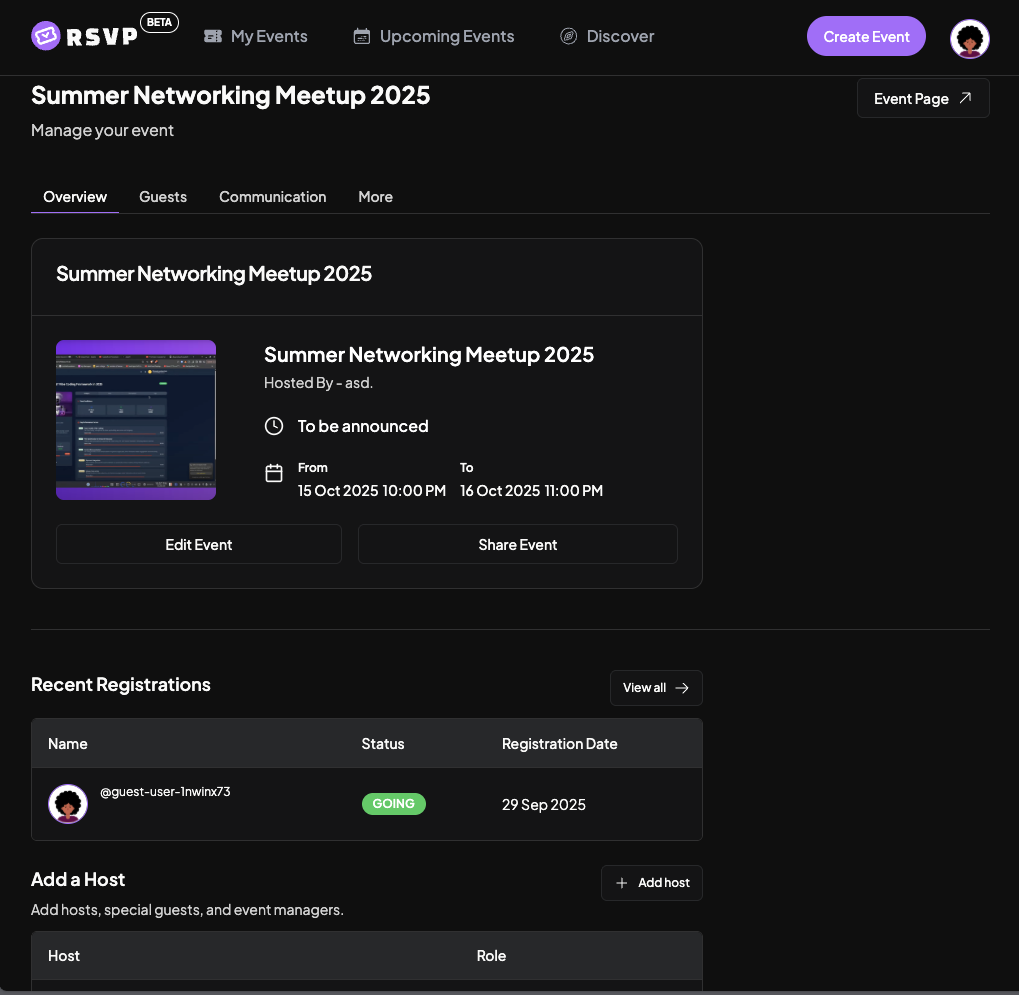
- On the Event Management page, scroll down to the Overview section.
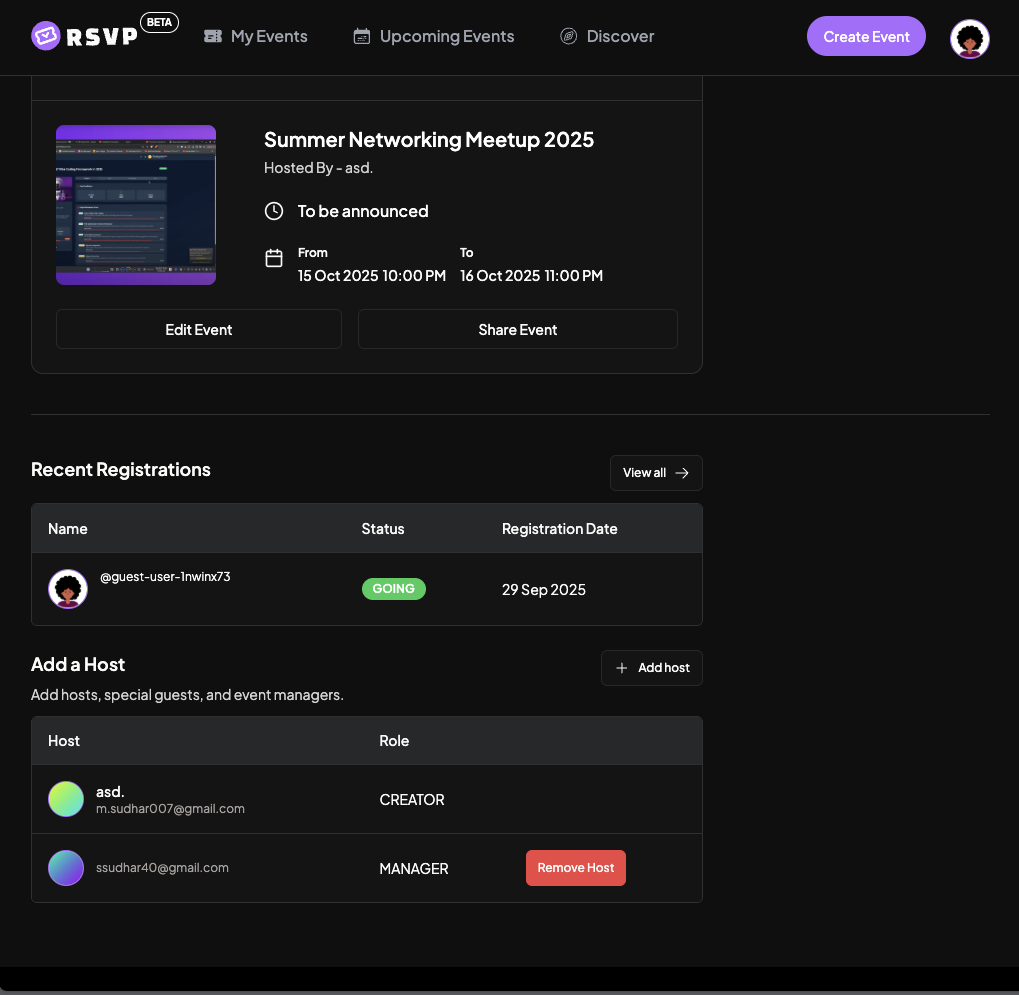
- Find the Cohosts section where you can manage event cohosts.
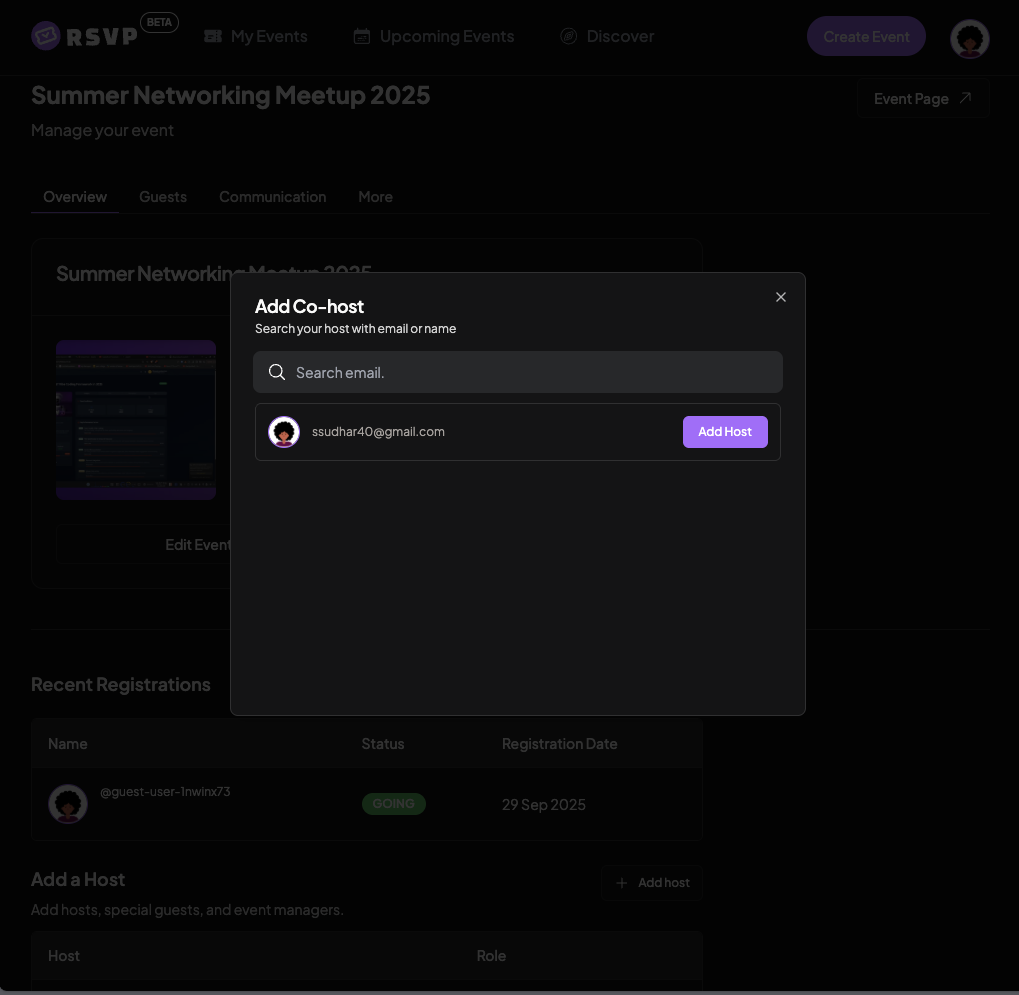
- Click Add Cohost or Invite Cohost.
- Enter the email address of the person you want to add as a cohost.
- Click Send Invitation to invite them.
Step 3: Cohost Permissions
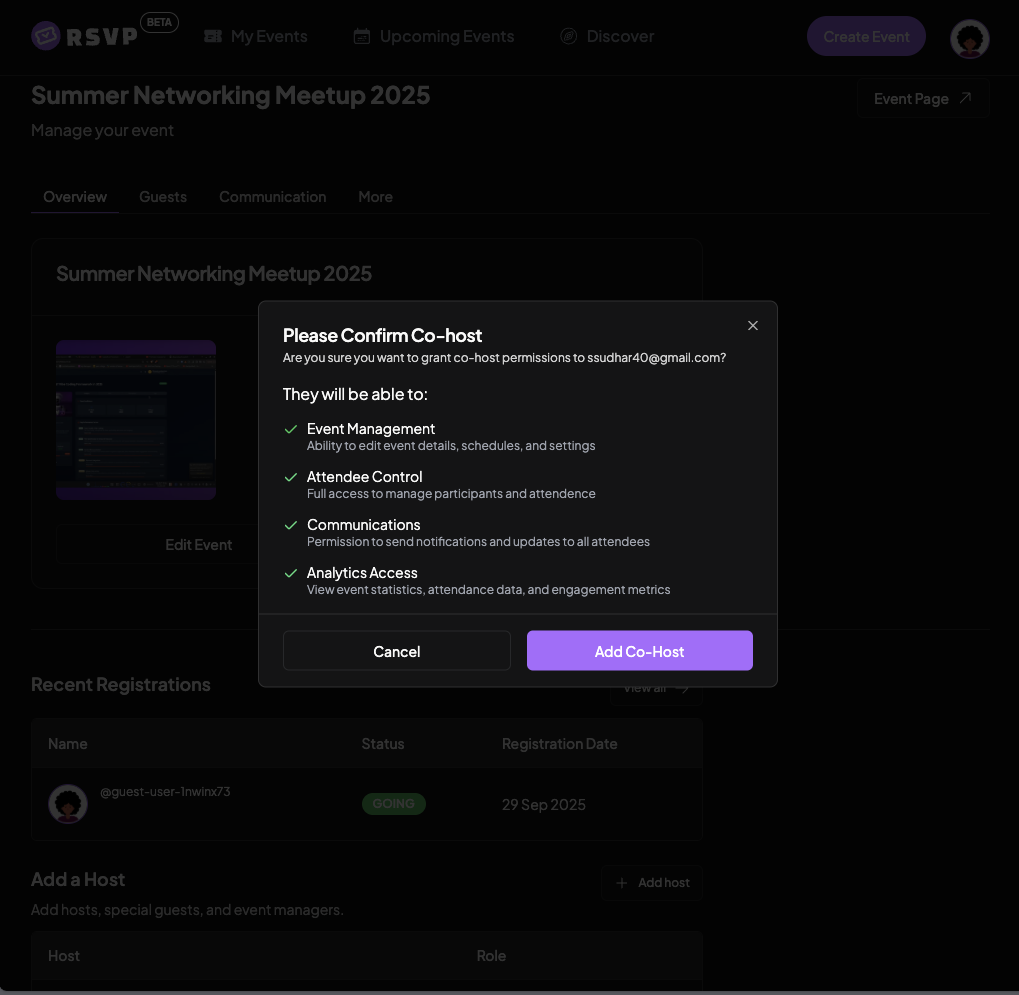
Cohosts have the following permissions:
- View Event Details – Access all event information
- Manage Attendees – View and manage the guest list
- Send Communications – Send messages to attendees
- Check In Guests – Assist with the guest check-in process
- Download Reports – Access attendee reports and analytics
Step 4: Managing Cohosts
- Remove Cohost – You can remove cohosts anytime from the Cohosts section.
Tips for Adding Cohosts
- Invite only trusted individuals to help manage your event.
- Ensure cohosts are familiar with your event details and goals.
- Consider adding cohosts who will be physically present at the event.
- You can add multiple cohosts to share management responsibilities.